Digital QR menu system for restaurants and cafés

Contact
qore

One menu.
Infinite signatures.

QOREMENU is a professional QR menu platform that adapts to every business's brand identity. Colour palette, language options, theme control, allergen and calorie management, price displays, and campaign areas are configured specifically for your business. A regulation-ready menu information structure, QR table cards and physical menu exports are delivered with the same brand consistency.

QOREMENU interface screenshot
CaféRestaurantPub & BarFine-DiningHotelBistroPatisserieBakeryLoungeResortCaféRestaurantPub & BarFine-DiningHotelBistroPatisserieBakeryLoungeResort
QR Menu
Instant digital menu access
5+ Languages
Multi-language menu experience
Regulation-Ready
Calories, allergens and derivative warnings
Print-Ready
Table card & physical menu support
3–7 Days
Custom setup for your brand
02 — Customization

Bring your signature to the menu.

From the theme structure to the order flow, from the category layout to the product display, every detail is configured according to your business's style. One menu, infinite signatures.

Light & Dark, same menu.
01 — Theme

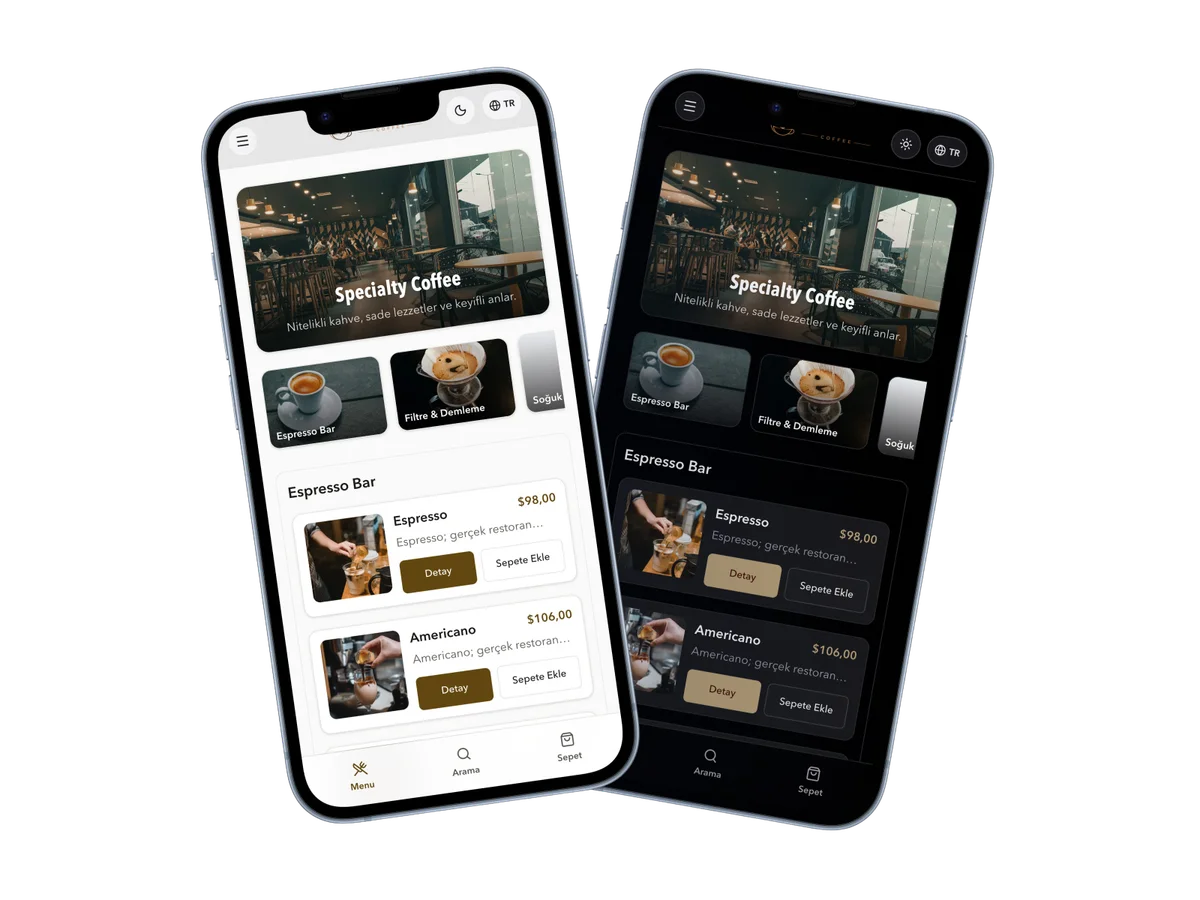
Light & Dark, same menu.

Your menu opens automatically in the appropriate theme based on the customer's device and browser preference. If desired, the user can switch between light and dark modes with a single tap.

  • Automatic theme detection
  • Light and dark color control via HEX
  • Theme-adaptive logo and visuals
Cart is always ready. Order flow is optional.
02 — Ordering

Cart is always ready. Order flow is optional.

In QOREMENU, customers can add their favorite items to the cart and gather their selections in one place. When order routing is activated, the cart can be connected to the order flow determined by the business.

  • Adding items to the cart
  • Gathering selections in one place
  • Routing to order if active
The category experience is tailored to your business.
03 — Categories

The category experience is tailored to your business.

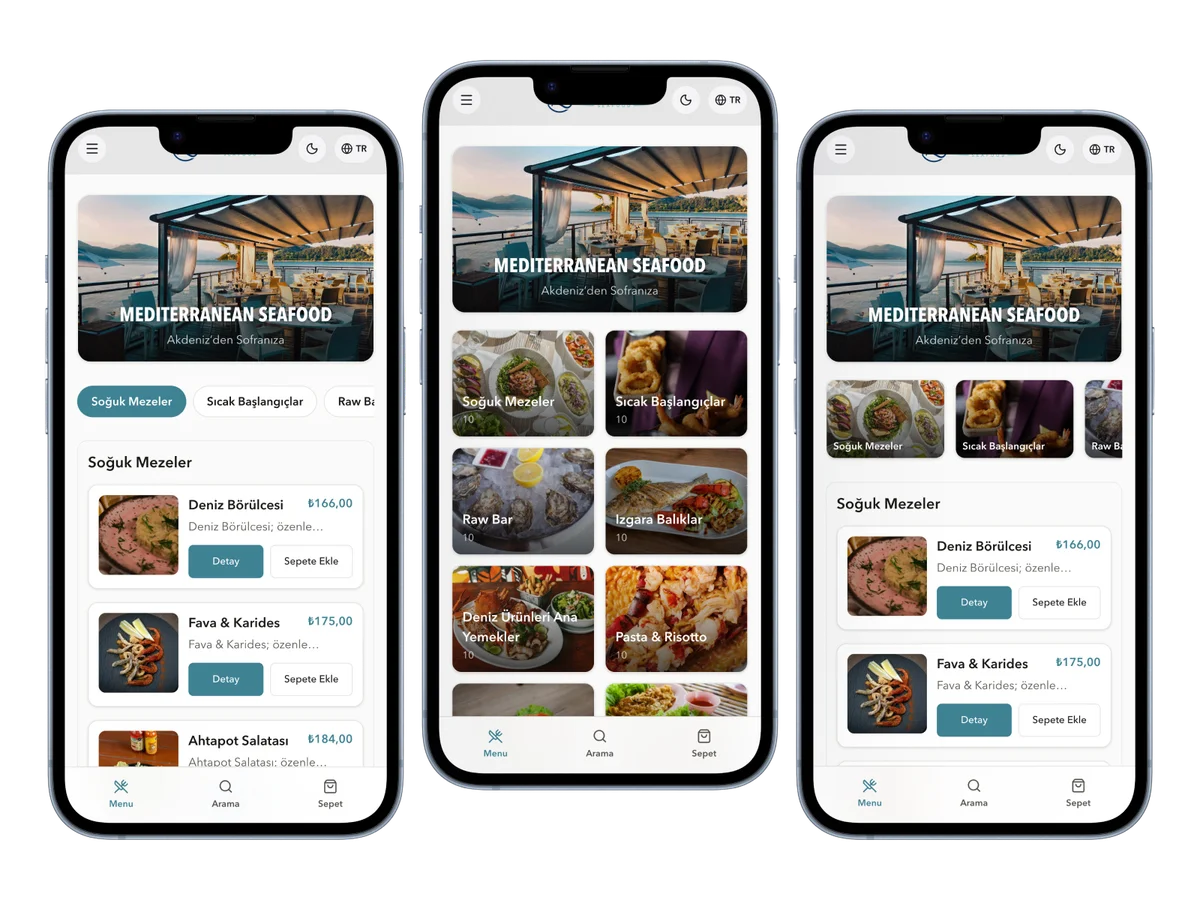
The category structure in your menu can be presented with different layouts according to your business's product variety and visual style. From simple horizontal scrolling to an image-rich hero category structure, the menu flow is organized according to your brand.

  • Horizontal scroll category bar
  • Image-rich hero category flow
  • Category selection with card layout
5+ item views. A presentation for every menu.
04 — Item View

5+ item views. A presentation for every menu.

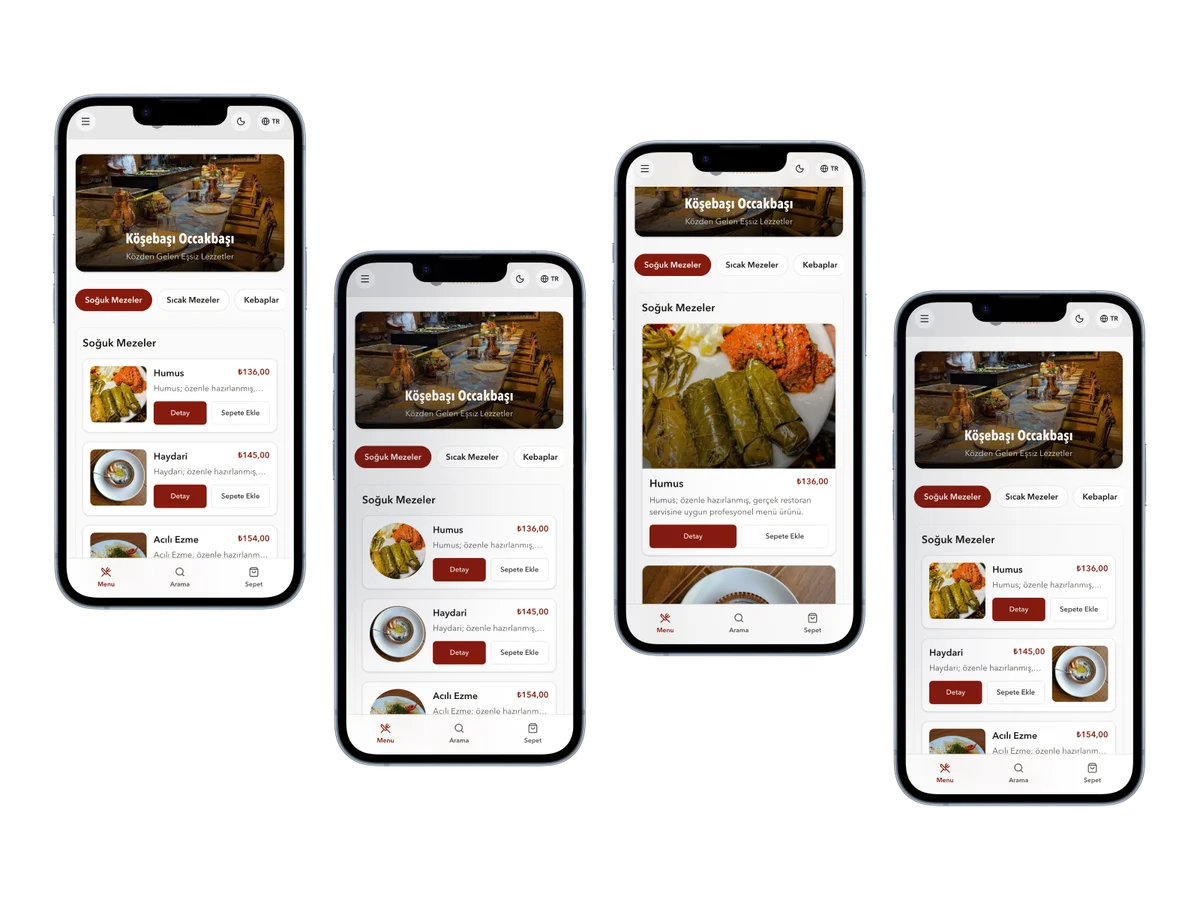
With grid, list, rounded list, compact, and magazine views, your products are presented according to your menu type. Large visual structures, quick scannable lists, or simple photo-free menus are configured based on your business's needs.

  • Grid: Large product visuals
  • List: Small visuals for quick scanning
  • Rounded list: A softer look
  • Compact: Simple menus without photos
  • Magazine: Alternative visual flow
03 — Menu Experience

A simple, fast and clear flow for the customer.

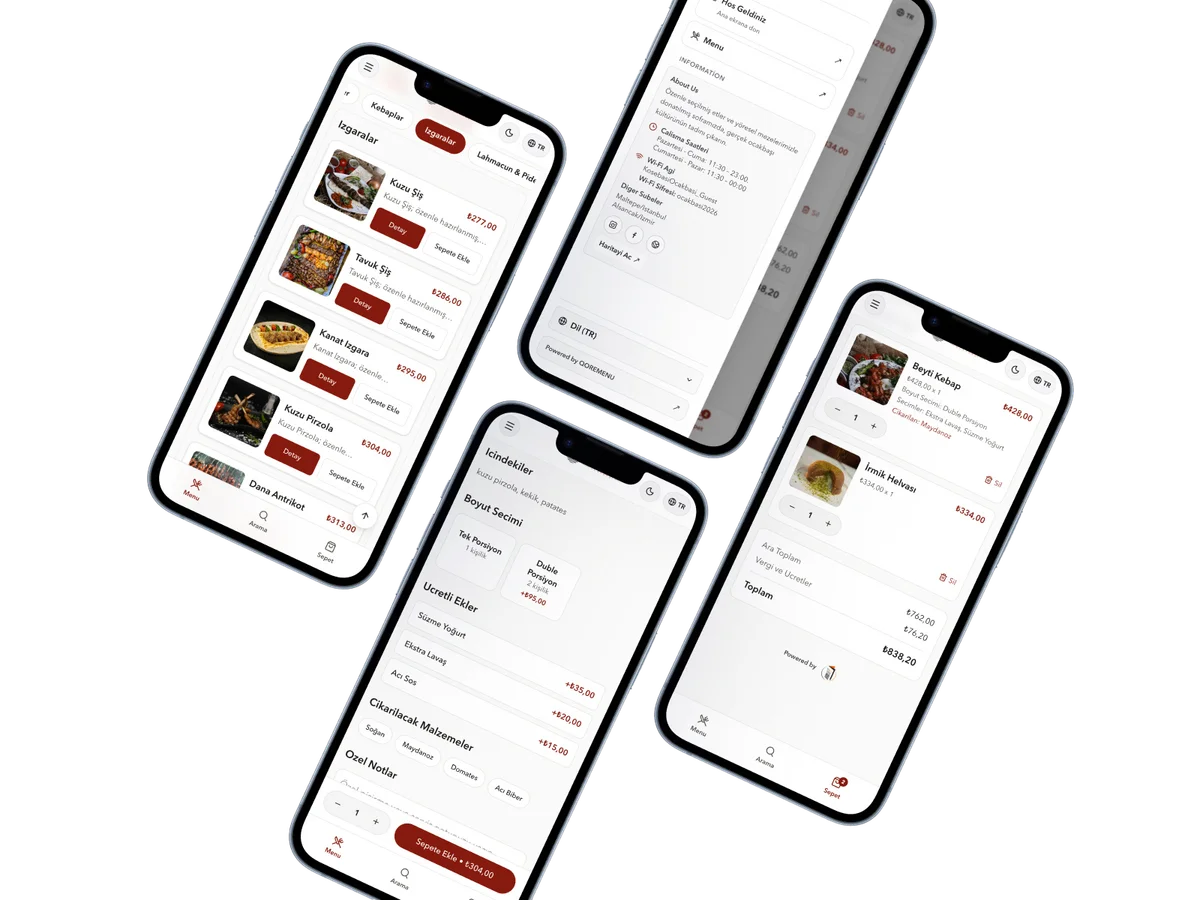
The moment the QR is scanned, the menu opens based on the device's theme and the browser's language. The customer can change the theme and language with a single tap if desired. From the menu to item details, from the cart to business info, every screen is designed to be simple, accessible, and easy to use.

  • 01

    Menu screen

    Categories, product list, prices, and visuals are presented in a fast, scannable, and simple flow.

  • 02

    Business info

    Location, social media accounts, other branches, working hours, and Wi-Fi details are accessible in one place.

  • 03

    Item details

    Description, ingredients, portion options, removable ingredients, allergens, and product notes are clearly displayed.

  • 04

    Cart experience

    Customers can add their favorite items to the cart, gathering their selections in one place. If order routing is active, the cart connects to the flow determined by the business.

QOREMENU guest interface: menu, business information, item details and cart screens
04 — Business Panel

Every operation in your hands.

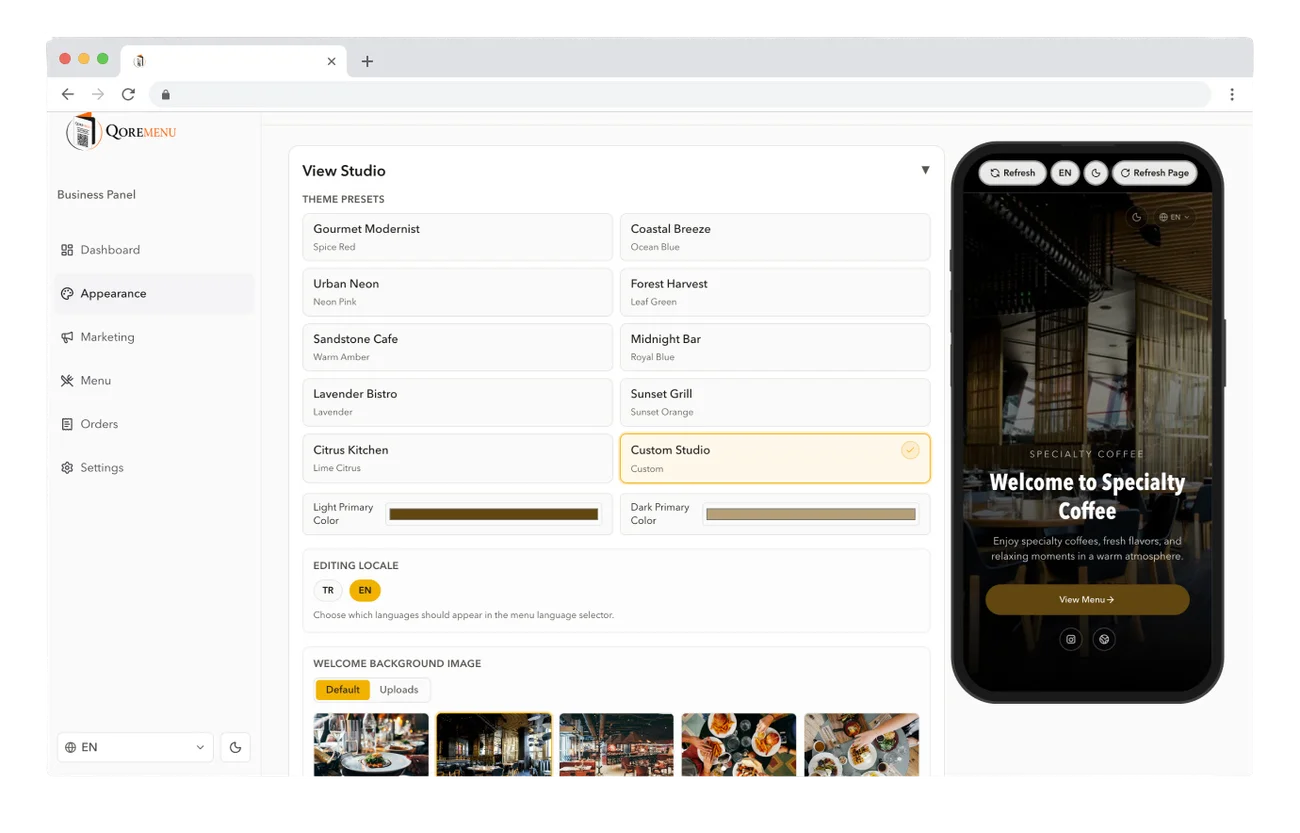
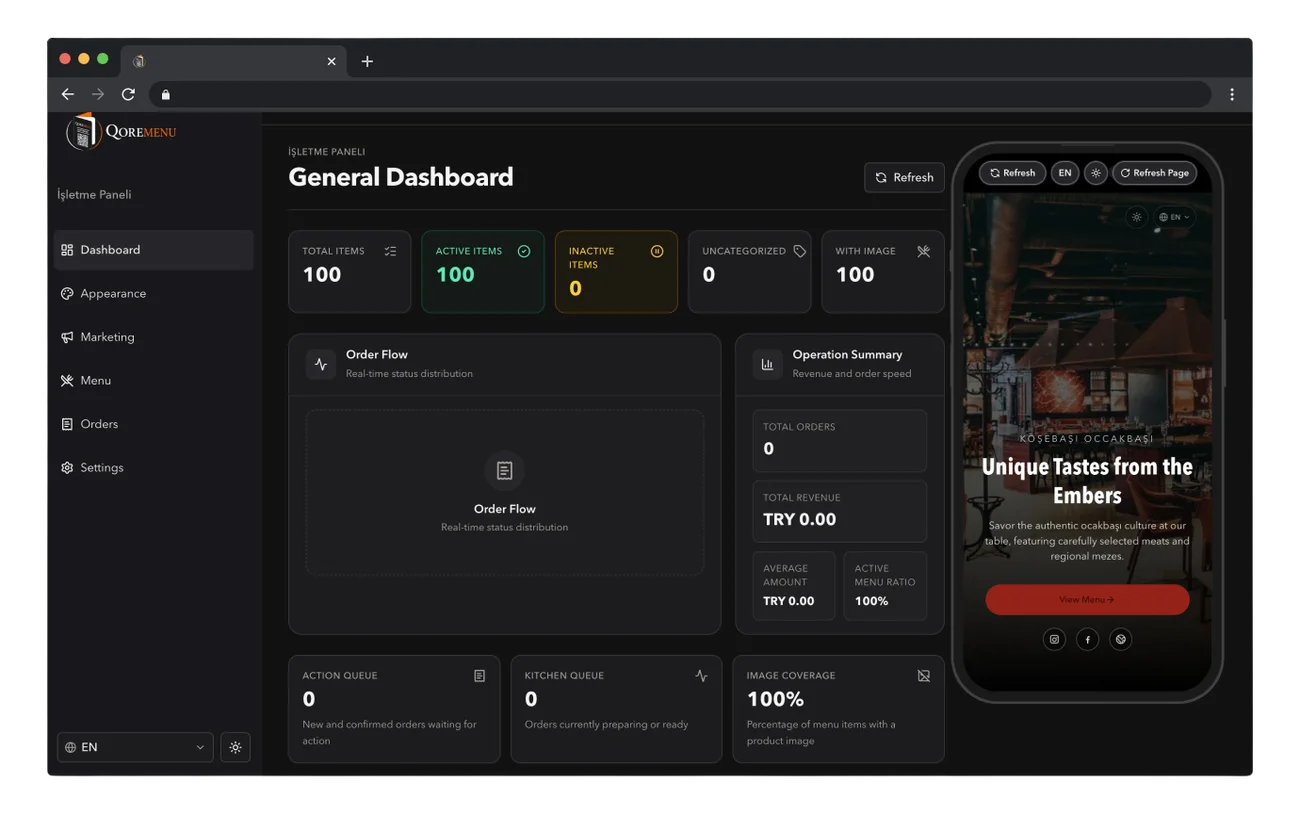
With the QOREMENU panel, you can manage price, product, category, language, theme, and campaign updates from a single place. Without waiting for small changes, you keep your menu up-to-date whenever you need it.

QOREMENU business panel — dark themeQOREMENU business panel — light theme
Admin on the left, instant guest preview on the right — every change in real time.
  • 01

    Quick price updates

    Easily update price, product info, and campaign details and reflect them on the live menu.

  • 02

    Flexible menu layout

    Organize products, categories, languages, and theme settings according to your business's needs.

  • 03

    Live preview

    Instantly check how changes will look to the customer from the phone preview.

  • 04

    Full management from any device

    Use the panel on mobile and web; manage your menu from any device you wish.

05 — Physical Materials

From QR to table, one brand consistency.

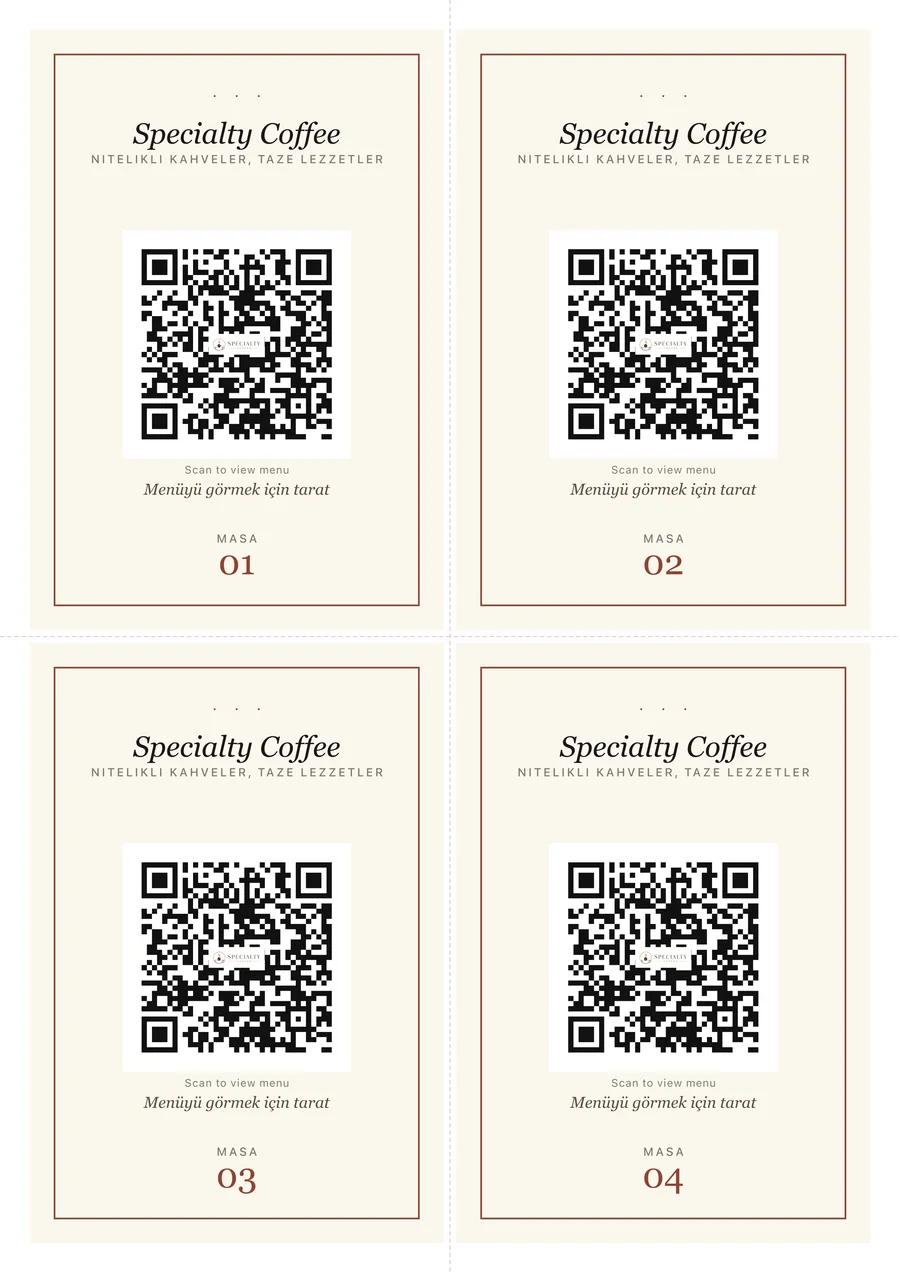
Table cards and printed menu exports are prepared with the same content and visual style as your digital menu. Your business doesn't have to deal with separate design processes for QR access, printed menus, and tabletop materials.

01 / Table Cards

Elegant and clear QR access.

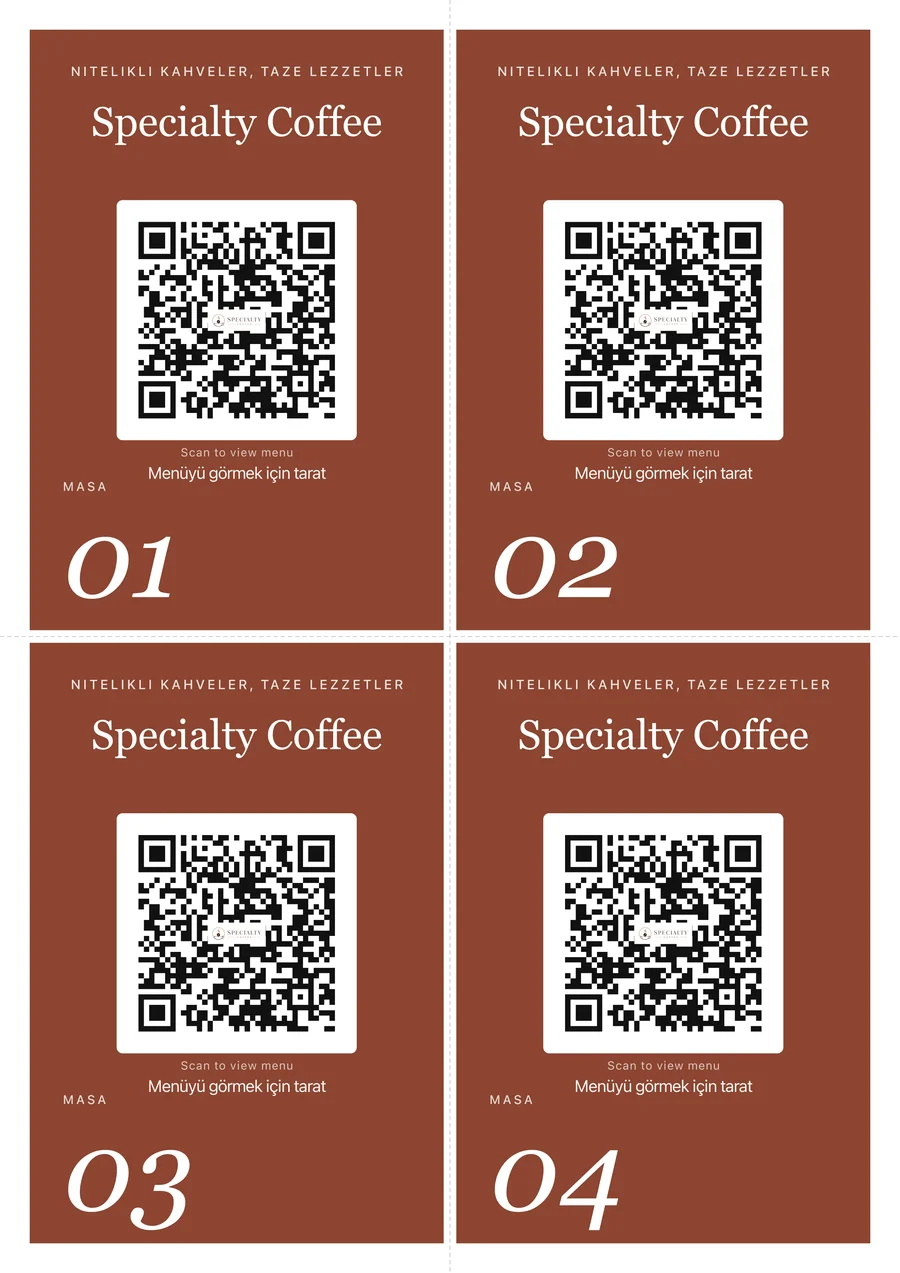
Customers can easily access the menu with table cards that match your brand.

Frame table card A4 sheet
FrameLight paper · slim border
Bold table card A4 sheet
BoldSolid fill · brand colour
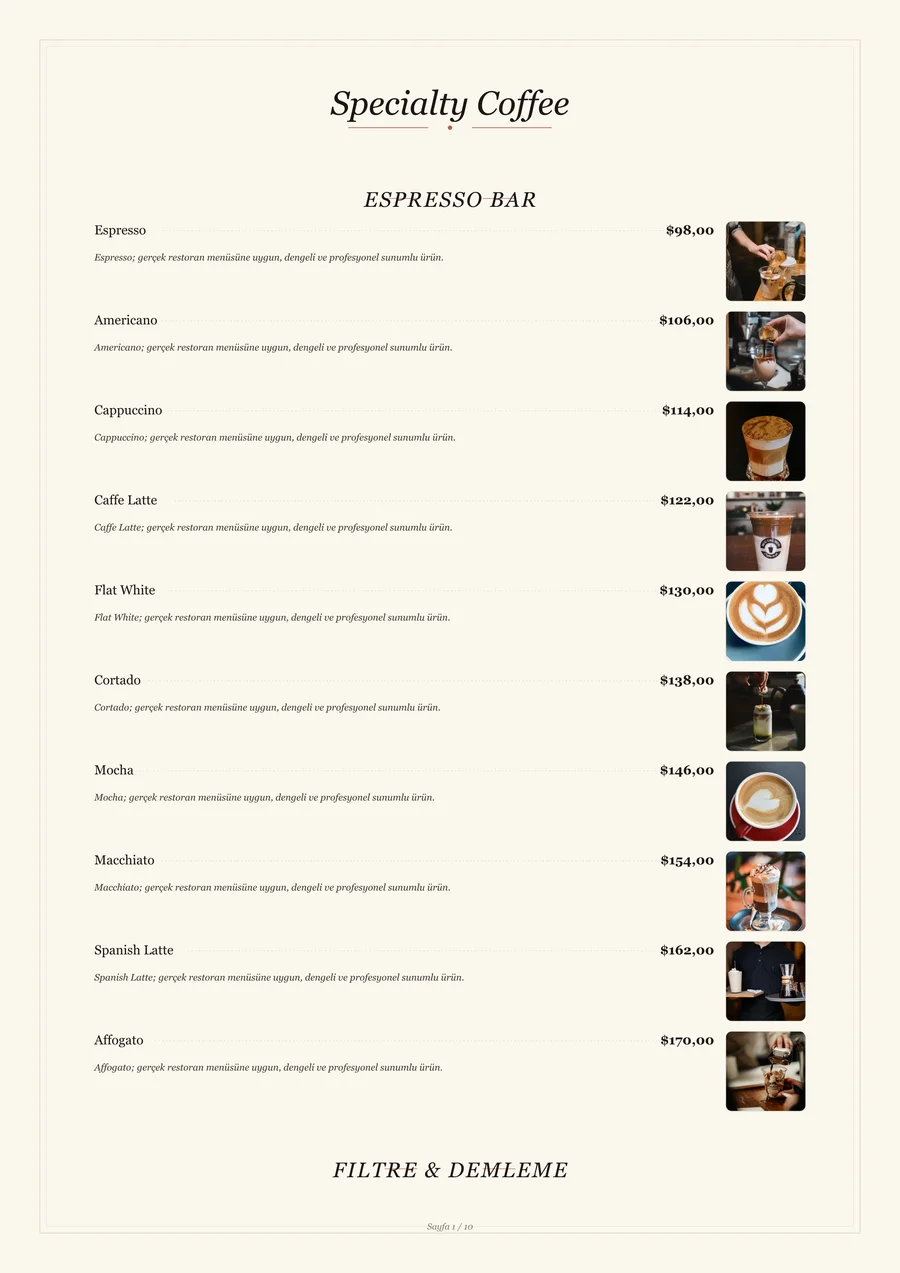
02 / Physical Menus

The printed equivalent of the digital menu.

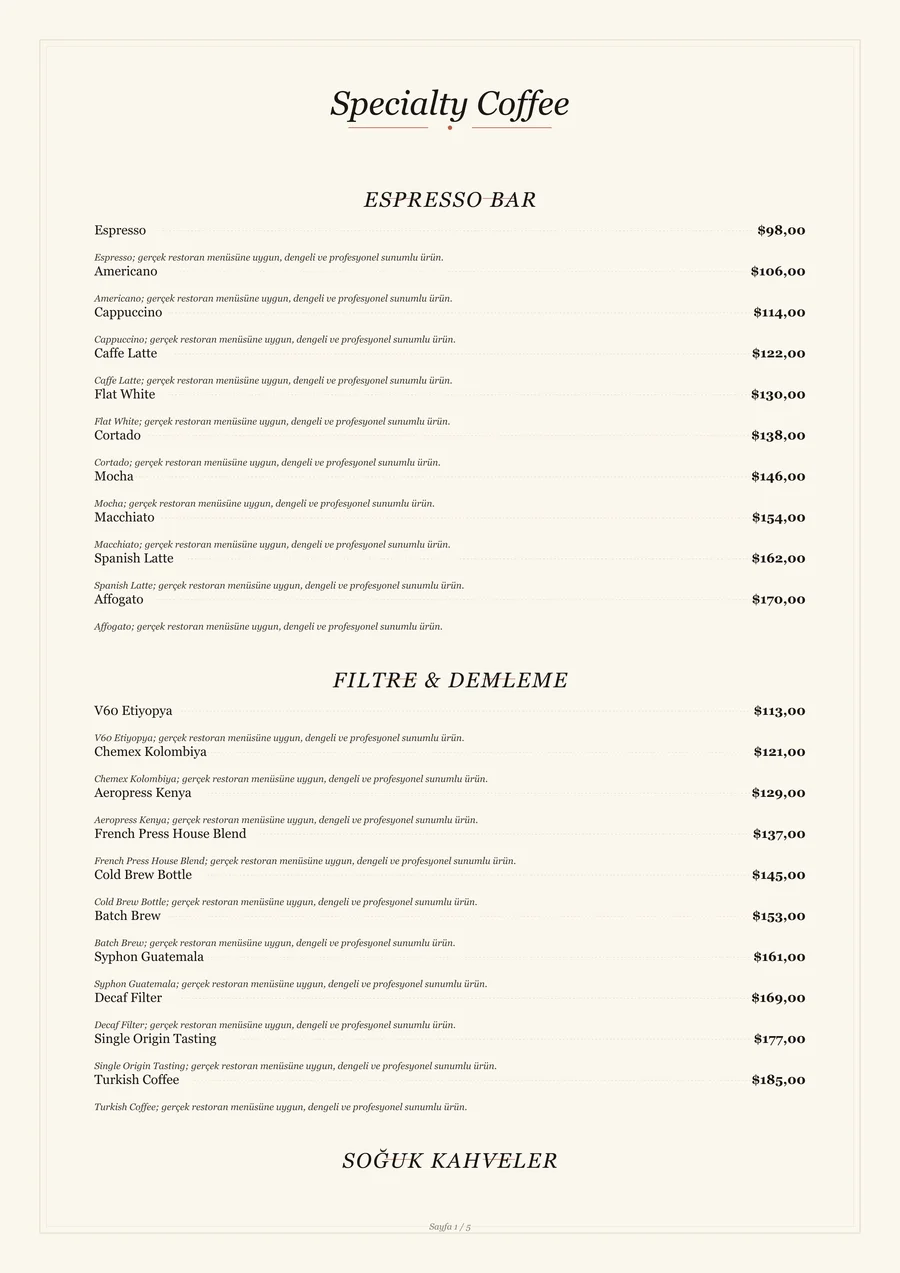
With photo-led or text-only physical menu exports, your menu is presented with the same brand consistency even when QR access is not possible.

With Photos printed menu page
With PhotosImage-led layout
Text Only printed menu page
Text OnlyJust the list — clean
01EXPORT FORMATS

PDF & PNG, print-ready A4

Every asset is exported to fit A4 exactly. Send it to your printer or print shop as-is.

02CURATED SAMPLE SET

More styles and layouts exist in the panel

This section intentionally shows a compact set: selected table-card styles and photo/text-only menu export examples.

03YOU CHOOSE THE LANGUAGE

Export language is selectable

Export in EN, TR, DE, or any other enabled language, independent of the currently displayed menu language.

06 — Regulatory Compliance

Keep your menu ready for disclosure rules.

QOREMENU brings item-level disclosure data into a single workflow: ingredients, calories, allergens and sensitive-component warnings can be presented clearly across the guest menu and print exports.

The practical compliance frame

Legally, there is no requirement to use a QR menu; the core obligation is to present the price list and mandatory food disclosures (calories, allergens, and ingredients) in a complete and accessible manner. A QR menu is merely one of the permitted ways to display this information, and even when used, keeping a physical list ready for guests who request it remains a legal condition. The ingredient, allergen, calorie and price data entered into the menu is provided by the business; under Turkish Food Codex legislation, the food business operator is responsible for its accuracy. QOREMENU, as an intermediary service provider, supplies the technical infrastructure — making it easy to manage all this data from a single source and present it consistently across both digital and printable physical outputs.

  • Ingredients, allergens and calories on item details
  • QR table cards and printable PDF menus
  • Print-output flow for physical-list requests
  • Visible warning plan for alcohol or pork-derived components
01

Ingredients

Core ingredients can be shown clearly in the guest menu and carried into printable menu exports.

02

Allergens

EU 14 allergen presets help highlight gluten, milk, egg and similar warnings on item details.

03

Calories

Item-level kcal values can be entered and shown while browsing the menu and on the product detail screen.

04

Special warnings

Sensitive components such as alcohol or pork derivatives are handled during setup as explicit menu warnings.

07 — Menu Showcase

A distinct menu character for every concept.

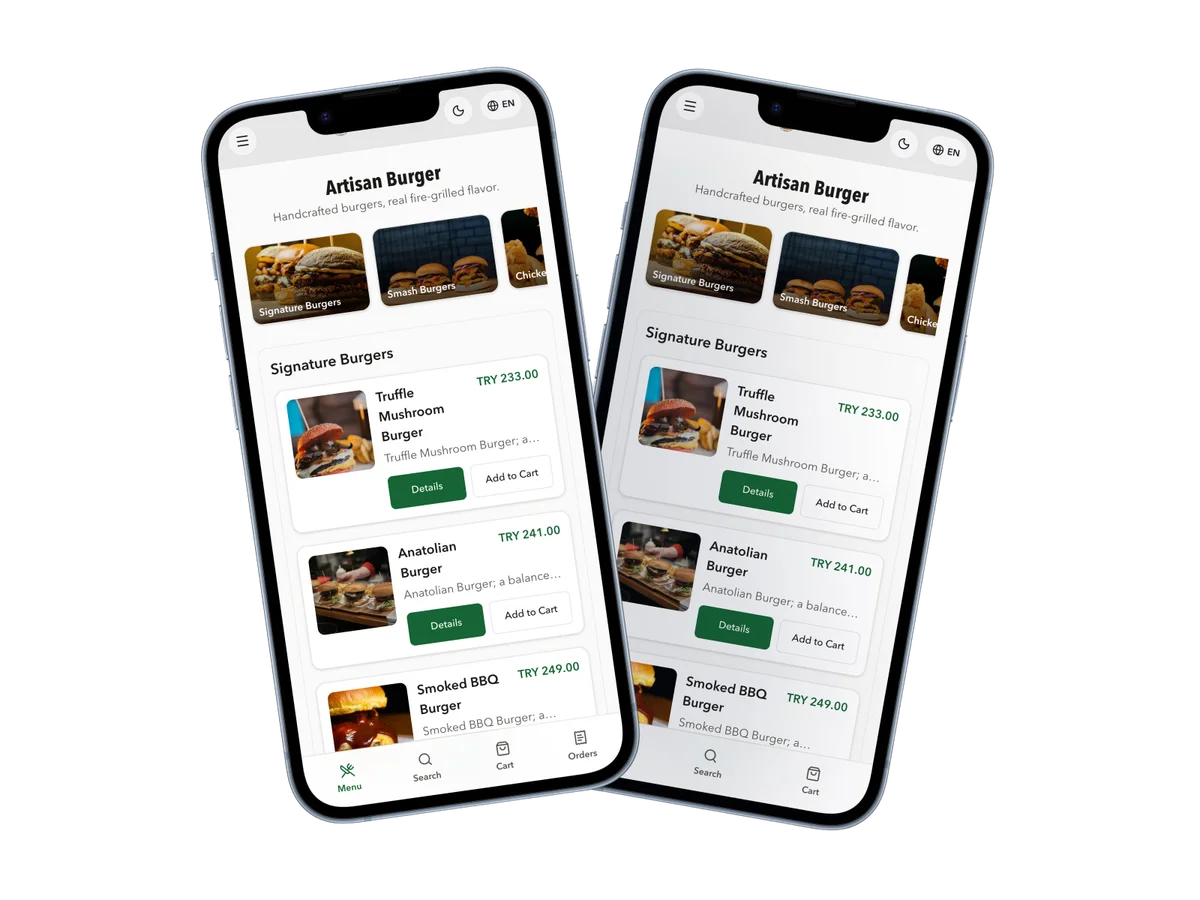
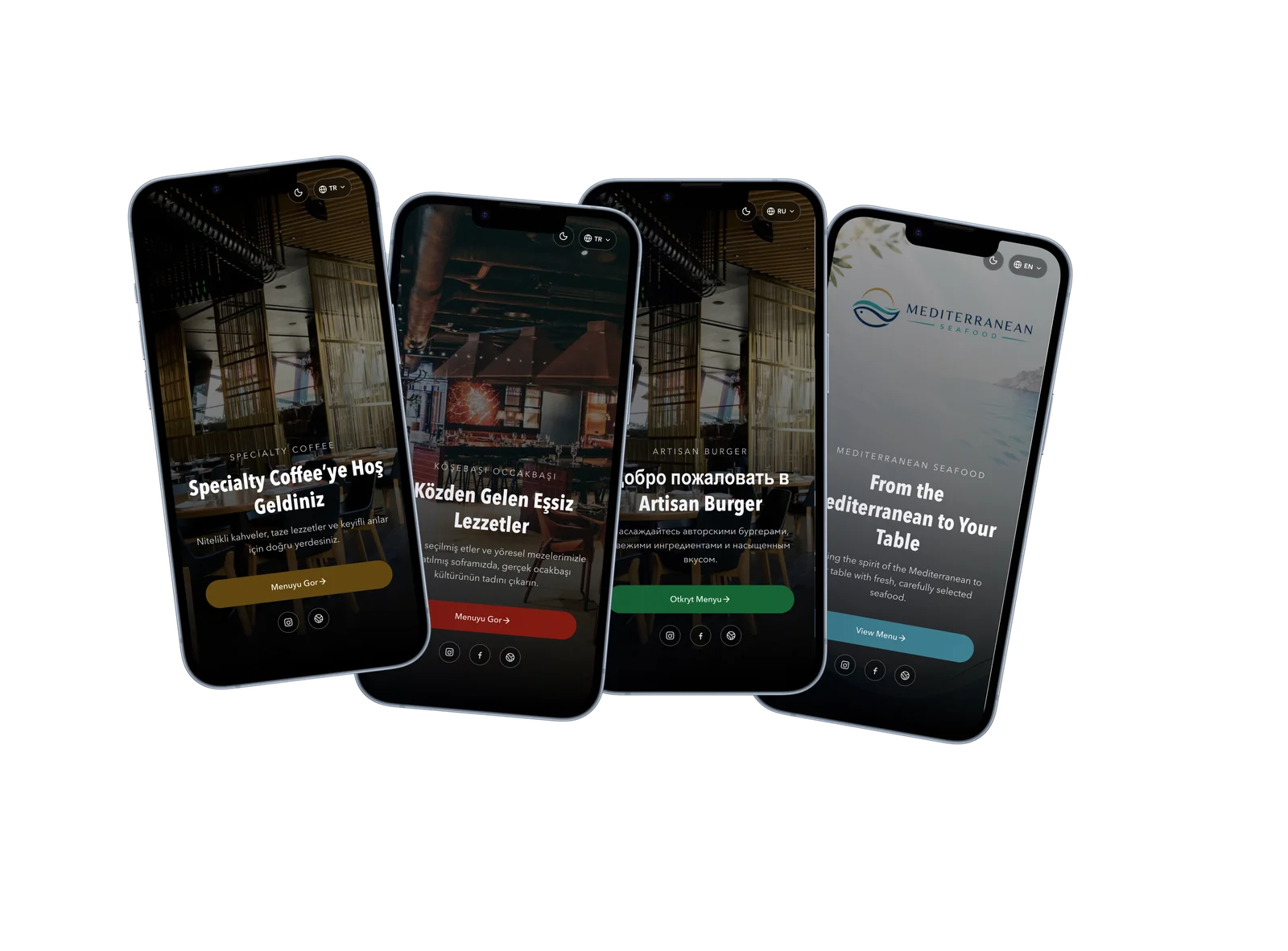
Discover example menus tailored for different business types like cafes, restaurants, burger joints, and seafood settings. Each menu offers a distinct experience tailored to its own brand identity and service style on the same platform.

08 — Setup Process

From demo request to live in four steps.

01REQUEST

Submit your demo request

Share your business details and menu needs. We'll schedule a brief, personalized onboarding call.

02PLAN

Outline your menu structure

We determine the category layout, item presentation, languages, theme preferences, allergens, and order routing together.

03SETUP

Build your QOREMENU

Your menu is configured to match your brand identity. QR access, table cards, and physical menus are prepared consistently.

04LIVE

Your menu is ready to use

Your QR menu goes live and you get panel access. Manage daily prices, items, categories, and campaigns from any device.

09 — Let's Start

A tailored menu experience, live in 3 to 7 days.

Submit your demo request and we’ll schedule a personalized onboarding call. Your menu structure, QR access, table cards, and physical menu exports will be prepared with absolute brand consistency.

01
Custom QR menu setup — A professional menu experience crafted for your products, categories, languages, themes, and branding.
02
QR table cards and physical exports — Table cards and print materials matching the exact content and visual style of your digital menu.
03
One-on-one onboarding — We clarify your needs during setup and guide you through the panel usage in detail.
04
Comprehensive management — Support for EU-standard allergens, price displays, currency options, and campaign sections.
10 — Blog

Menu regulations, practical guides and industry notes.

Guides on 2026 regulations, calorie and allergen labelling requirements, QR menu balance, and digital brand identity for restaurant operators.

كل المقالات

Frequently asked questions

Is a QR menu legally required?

No. The requirement is to present the price list at the entrance and on tables in a visible, readable way. A QR code is one permitted presentation method; a physical list should still be available when a guest requests it.

Which disclosure fields does QOREMENU help prepare?

Ingredients, calories and allergens can be managed per item. Sensitive warnings such as alcohol or pork-derived components are handled during setup as a visible warning plan in the menu.

Who is responsible for the information in the menu content?

Item names, descriptions, prices, images, ingredients, allergens and calorie values are provided by the business and published on its behalf. Their accuracy and regulatory compliance remain the food business operator's responsibility; QOREMENU provides the technical infrastructure.

Where do calories, ingredients and allergens appear?

They appear clearly on the item detail view; the same structured data can also support printable PDF menus and physical-list workflows when needed.

Do I still need a physical menu if I use QR?

Yes, a physical list should be available for guests who request it. QOREMENU keeps QR menus, table cards and printable menu exports aligned around the same content structure.

When do price, campaign and item changes go live?

Panel updates appear on the digital menu immediately. When a new print asset is needed, QR table cards and physical menu layouts can be refreshed with the same brand consistency.

Can menu information be managed in multiple languages?

Yes. Turkish, English, Russian, Arabic and German menu experiences are supported; item names, descriptions and disclosure fields are configured around your guest profile.

Do QR table cards and physical menus share the same design language?

Yes. QR table cards, printable menu exports and the digital menu are prepared with the same brand colours, typography direction and content structure.

How long does setup take?

Depending on menu scope, setup is usually completed in 3 to 7 days. Menu structure, languages, theme, item-disclosure fields and output needs are clarified during onboarding.